

Most goal lists are wishlists, not plans.
If you’re tired of good intentions that fade by week two, this will help.
This SMART goal setting worksheet gives you a simple, printable system to turn vague hopes into trackable action.
It includes three fillable SMART blocks, up to six milestone rows, an eight-line action plan, a 12-week habit tracker, and a summary dashboard.
Use it to set a clear baseline, add measurable targets, schedule small steps, and check progress weekly so you actually finish what you start.
Free Printable SMART Goal Worksheet Overview and Download Guide

This SMART goal worksheet is a complete planning system built to turn vague intentions into trackable action steps. You get a fillable PDF plus printable single-sheet and multi-page versions in both A4 and Letter sizes, so you can print what works for your desk, binder, or team meeting.
The file includes three primary SMART goal blocks and one stretch goal section for higher risk targets. Each block walks you through the full structure: title, priority ranking, one-line goal statement, and separate text boxes for Specific, Measurable, Attainable, Relevant, and Time-bound criteria. You also get baseline and target metric fields, up to six dated milestone rows with success metrics, an action plan with eight task lines (owner, time estimate, due date, and checkbox), a 12-week habit tracker grid with daily checkboxes, a percent complete progress bar, and an accountability section that includes partner name, check-in frequency, resources needed, constraints, and motivational visibility space.
A summary dashboard page pulls everything together. Consolidated goals, next milestones, overdue items, and percent complete totals across all goals. The instructions page covers the origin of SMART goals (1981, George T. Doran), pacing advice for managing multiple changes, and a prompts and examples page with guided questions and sample goals that show quantified targets. This worksheet is designed for personal use, professional development, academic planning, and team distribution.
Core worksheet features:
- Three SMART goal blocks plus one stretch goal section with full planning fields
- Up to six milestones per goal with date and success metric tracking
- Eight step action plan with owner, estimated time, due date, and completion checkbox
- 12 week by 7 day habit tracker grid with checkboxes for daily consistency
- Summary dashboard showing consolidated progress, next deadlines, and overdue items
SMART Goal Components Explained for Worksheet Completion

The SMART framework was introduced in 1981 by George T. Doran as a way to turn management objectives into clear, actionable targets. Each letter represents a checkpoint that forces you to define what success looks like before you start. The worksheet breaks each SMART element into its own section with prompts and text boxes, so you build the goal step by step instead of guessing what belongs where.
When you sit down to fill out your first goal block, work through the five SMART fields in order. Answer the prompts for Specific first, then add your Measurable criteria, and move through Attainable, Relevant, and Time-bound. By the time you finish all five sections, you’ll have a goal statement that’s clear enough to track and realistic enough to finish.
Specific
This field asks who’s involved, what you’re trying to accomplish, when and where it happens, and why it matters. In the worksheet, you’ll write out the details that remove guesswork, like “I will complete a leadership development course” instead of “I want to improve my skills.” If multiple people are involved, assign roles here so everyone knows their part.
Measurable
Define your starting baseline and your target number, then list the metrics or milestones that show progress. The worksheet gives you space for up to six milestone rows, each with a date and a success metric. If your goal is to reduce customer churn by 10 percent in six months, write your current churn rate as the baseline and 10 percent lower as the target, then add monthly milestones to check whether you’re on pace.
Attainable
Break large targets into smaller, realistic steps based on the resources, time, and support you actually have. The worksheet prompts you to list constraints and assess whether you can hit the target with current capacity or need to adjust scope. For example, if you want to lose 40 pounds, split that into 5 to 10 pound increments and start with the first milestone before committing to the full number.
Relevant
Check that this goal aligns with your broader priorities. Work objectives, personal values, or team targets. Use this section to write a short explanation of how completing this goal supports a bigger outcome. If it doesn’t connect to something that matters this year, it’s a good signal to pick a different goal or adjust the focus.
Time-bound
Set a final deadline and add interim checkpoints. The worksheet includes milestone rows and action plan due dates so you can schedule the work and catch delays before they become failures. A goal with no deadline stays a wish. A goal with weekly or monthly milestones becomes a project you can manage.
SMART Goal Worksheet Prompts, Examples, and Guided Questions

The worksheet includes a prompts and examples page that walks you through the questions to ask for each SMART element. These guided questions help you move from “I want to get healthier” to “I will work out four times per week for 12 weeks and track it on my habit grid.” The examples page also shows filled in samples with real numbers, like reducing employee turnover by 10 percent in the next quarter or reading 12 business books over the next year, one per month.
Each sample goal includes a baseline, a numeric target, and a timeline. One weight loss example starts with a micro goal: lose one pound first, then aim for five to ten pounds, instead of attacking a 40 pound target all at once. Another example shows a leadership development goal broken into two hour weekly study blocks over three months to finish a course. The prompts help you move from the big picture intention to the specific actions you’ll take this week.
Use these examples as templates when you’re stuck. If you’re setting a performance goal at work, look at the churn reduction example. If you’re building a new habit, look at the daily behavior targets like drinking eight glasses of water or cutting added sugar. The worksheet isn’t there to judge your goal. It’s there to help you write one you can actually track and finish.
Sample SMART goals to model:
- Reduce employee turnover by at least 10 percent in the next quarter by implementing a structured onboarding program and scheduling monthly check ins.
- Reduce customer churn rate by 10 percent over six months through improved training and a new onboarding sequence, measured by retention reports.
- Complete a leadership development course in three months by dedicating two hours per week to coursework and submitting all assignments by the final deadline.
- Read one business book per month for 12 months (12 books total) to increase industry knowledge, tracked in Goodreads.
- Lose five pounds in eight weeks by working out four times per week and tracking daily water intake on the habit grid.
- Increase customer satisfaction score to 90 percent by the end of Q2, measured by post service surveys sent within 48 hours of each interaction.
Action Plan and Milestone Planner Inside the SMART Worksheet
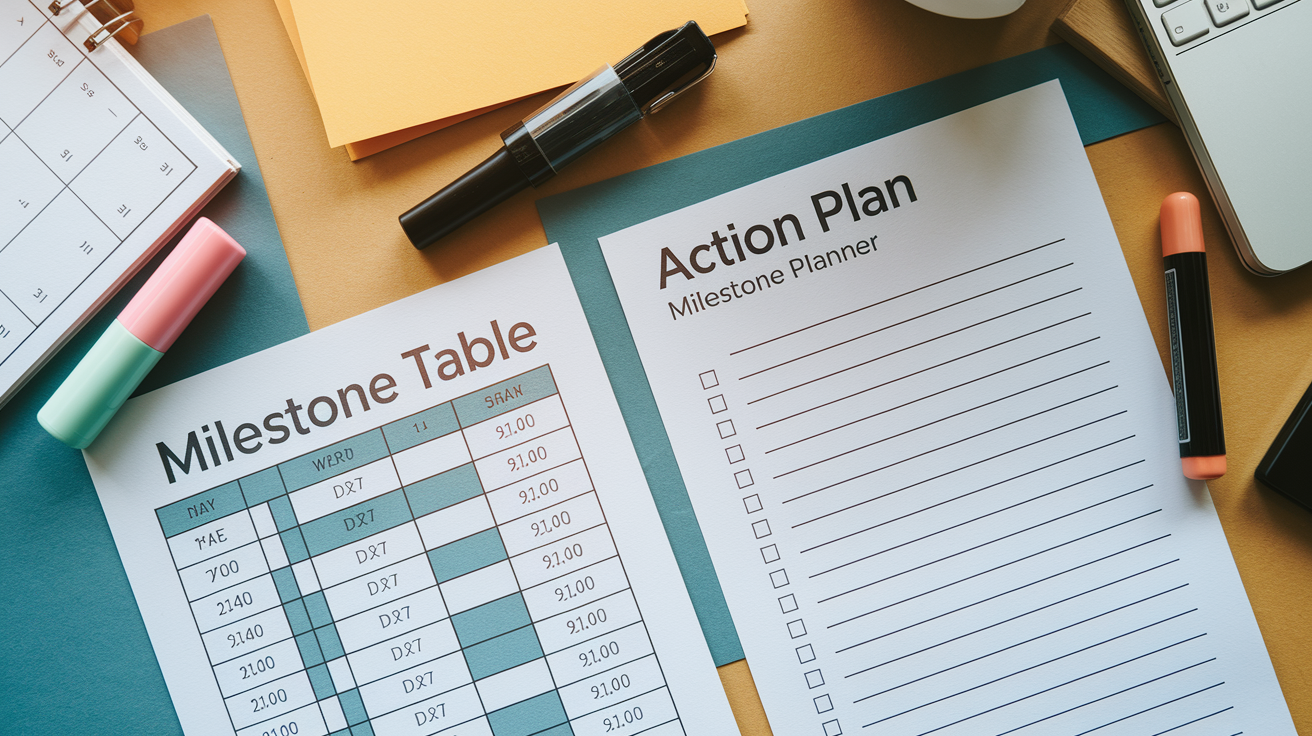
The action plan section gives you eight task lines to break your goal into concrete next steps. Each line includes fields for the task or milestone, the person responsible, estimated time required, due date, and a checkbox. This structure turns “I want to finish a course” into “Week 1: Register for course (me, 30 minutes, due Friday)” and “Week 2: Complete module one (me, two hours, due next Friday).” The more specific your steps, the easier it is to know what to do when you sit down to work.
The milestone planner sits above the action steps and tracks up to six progress checkpoints with dates and success metrics. If your goal is to reduce churn by 10 percent over six months, your milestones might be “Month 1: Churn drops by 2 percent,” “Month 3: Churn drops by 5 percent,” and “Month 6: Churn drops by 10 percent.” Each milestone gets a date and a measurable outcome so you can see whether you’re on track or falling behind. The worksheet also includes a percent complete field and a visual progress bar so you can update and track your overall progress at a glance.
| Step / Milestone | Details | Deadline |
|---|---|---|
| Register for course | Select program, pay fee, confirm start date | Week 1, Friday |
| Complete module 1 | Watch videos, take notes, submit quiz | Week 2, Friday |
| Complete module 2 | Read chapters 1–3, complete reflection assignment | Week 4, Friday |
| Midpoint check-in with accountability partner | Review progress, adjust next steps if needed | Week 6, Monday |
| Submit final project | Compile all work, proofread, submit by deadline | Week 12, Friday |
Habit Tracking and Progress Monitoring Included in the Worksheet

The 12 week habit tracker is a grid with seven columns (one for each day of the week) and 12 rows (one for each week). You pick a daily or weekly behavior that supports your goal and check the box each time you complete it. If your goal is to work out four times per week, you check four boxes per row. At the end of 12 weeks, you can see your consistency pattern and whether you stayed on track or dropped off halfway through.
The progress monitoring tools include a percent complete field, a visual progress bar, and a summary dashboard that consolidates next milestones and overdue items across all your goals. Update your percent complete each week or each milestone so you always know where you stand. The dashboard pulls from all three goal blocks and the stretch goal section, giving you one page that shows what’s done, what’s next, and what’s overdue. Stick to your original success metrics throughout the goal period. Don’t change the target halfway through just because it feels hard.
Common daily habits to track on the grid:
- Drink eight glasses of water every day
- Work out at least four times per week
- Cut added sugar from meals and snacks
- Eat one palm sized protein source at lunch and dinner
Accountability, Barriers, and Support Sections of the SMART Worksheet

The accountability section includes a field for your accountability partner’s name and a check in cadence selector: weekly, biweekly, or monthly. Pick someone who will actually ask you how it’s going and review your progress updates. The worksheet also includes a resources needed field where you list tools, budget, training, or help required to hit your goal. If you realize you need a course login, a gym membership, or two hours of uninterrupted time per week, write it down so you can secure it before you start.
The constraints and risk notes section is where you write down what might go wrong or slow you down. If your schedule gets unpredictable in Q3 or you’re waiting on another team to finish their part first, document it. The visibility space at the bottom is for a motivational phrase or a password reminder strategy. Some people use their goal as a computer password so they type it multiple times a day. This section exists because goals fail when obstacles surprise you. Name the barriers up front and plan a workaround.
Common barriers and example solutions:
- Time conflicts: Block two one hour windows per week on your calendar before other meetings fill the space.
- Lack of resources: Request budget or tools in the first week. If denied, adjust scope or timeline to match what you have.
- Low energy or motivation mid goal: Schedule a midpoint accountability check in and a small reward at the halfway milestone to keep momentum.
Using the SMART Worksheet for Personal Development, Fitness, Work, and School

This worksheet was built for any situation where you need a plan and a way to track whether it’s working. The structure stays the same across contexts. SMART fields, milestones, action steps, habit tracker, and accountability. But the content changes depending on whether you’re managing a work project, studying for an exam, building a new habit, or training for a fitness goal. The prompts guide you through the same process every time, so once you learn how to fill it out for one goal, you can apply it to anything else.
The flexibility comes from the fact that SMART criteria work for behavior change, learning goals, performance targets, and long term plans. You’re using the same milestone rows and action plan steps whether you’re reducing churn at work or sticking to a workout routine at home. The worksheet also includes space for team distribution and shared accountability, which makes it useful for managers running performance reviews or teachers helping students set semester goals.
Workplace & Career Application
Use the worksheet to set quarterly performance goals, track project milestones, or build new professional skills. Fill in the accountability partner field with your manager’s name and set biweekly check ins. If your goal is to complete a leadership course or reduce team turnover, break it into tasks with owners and deadlines so nothing stalls.
School & Academic Goals
Students can use the worksheet to plan semester study goals, track weekly homework habits, or prepare for exams. Set milestones for each unit or chapter, list study tools in the resources section, and use the habit tracker for daily review sessions. Teachers can print copies for the whole class and review progress monthly.
Personal Development & Habits
Track habit building goals like journaling daily, reading one book per month, or practicing a new skill. Use the 12 week habit grid to check off each day you complete the behavior and the milestone rows to track cumulative progress. The accountability partner can be a friend, a coach, or an online group.
Health & Fitness Objectives
Set weight loss, strength, or endurance goals with a baseline metric and a target number. Break the goal into small increments. Lose one pound first, then five, then ten. And use the action plan to schedule workouts, meal prep, and recovery days. Track daily behaviors like water intake, protein servings, and workout frequency on the habit grid.
Tools, Apps, and Digital Options for SMART Goal Tracking

The worksheet is designed to work on paper, but you can also export the data to Google Sheets or Excel if you want to automate calculations, build charts, or share progress with a team. Google Sheets makes it easy to set up a dashboard that pulls from your milestone dates and percent complete fields, and you can sync it with your calendar so deadlines show up as reminders. The key is to pick one system and use it consistently instead of tracking progress in multiple places and losing your single source of truth.
Other tools that pair well with the worksheet include Goodreads for reading goals, a journal for daily reflections and affirmations, and a vision board for visual motivation. Some people take a photo of their filled in worksheet and set it as their phone wallpaper or print it and tape it to the bathroom mirror. The visibility section on the worksheet is there to remind you to keep your goal in sight. Studies show that people who write down their goals and review them regularly are 42 percent more likely to achieve them.
Digital tools to complement your worksheet:
- Google Sheets or Excel for automated tracking, charts, and shared dashboards
- Goodreads to log and track annual reading goals by book and completion date
- A journal or notes app for weekly progress reflections and adjustments
- Calendar sync to turn milestone deadlines into automatic reminders and check in prompts
Final Words
Open the fillable PDF or print the single-sheet and start with a SMART block, listing Specific, Measurable, Attainable, Relevant, Time-bound. Use the baseline and target fields, milestone rows, action steps, 12-week habit tracker, progress bar, and accountability spots to make it real.
It’s built for personal, professional, academic, or team goals and works in A4 or Letter sizes.
Use this smart goal setting worksheet to map clear steps, track progress, and stay accountable. Small, steady moves add up. You’ve got this.
FAQ
Q: What does the downloadable SMART goal worksheet include?
A: The downloadable SMART goal worksheet includes a fillable PDF plus printable single-sheet and multi-page versions in A4 and Letter, three SMART goal blocks, a stretch-goal block, milestones, action steps, habit tracker, progress bar, and accountability fields.
Q: How do I complete each SMART section on the worksheet?
A: Completing each SMART section on the worksheet means writing a clear what/who/when/where/why; adding baseline and numeric targets; breaking tasks into realistic steps and resources; aligning goals to bigger priorities; and setting milestone dates.
Q: Can I use the worksheet for personal, professional, academic, and team goals?
A: The worksheet is structured for personal, professional, academic, and team use, with flexible SMART blocks, milestone rows, a habit tracker, and a dashboard that works for individuals or shared team tracking.
Q: What file types and sizes are available for download?
A: Available file types and sizes include a fillable PDF and printable single-sheet and multi-page PDFs formatted for A4 and Letter, ready to print or fill on most devices and printers.
Q: How many goal blocks, milestones, and action steps are included?
A: The worksheet includes three SMART goal blocks, one stretch-goal block, up to six dated milestone rows, and up to eight action-plan steps per goal with owner, estimated time, and due date fields.
Q: How should I break a SMART goal into tasks and milestones?
A: Breaking a SMART goal into tasks and milestones means listing small, time-bound action steps in the action plan, assigning owners and due dates, and setting dated milestones with measurable success metrics for each stage.
Q: How does the habit tracker and progress monitoring work?
A: The habit tracker and progress monitoring work through a 12-week grid with daily checkboxes, a percent-complete progress bar, and a dashboard that highlights next milestones, overdue items, and recommended monitoring cadence.
Q: Can I export the worksheet to digital tools and which apps work well?
A: The worksheet can be exported to Google Sheets or Excel and pairs well with apps like Goodreads for reading goals, calendar sync, journals, and vision-board tools to keep a single source of truth.
Q: What accountability and barrier-planning features are included?
A: The accountability and barrier-planning features include an accountability partner field, check-in cadence options (weekly/biweekly/monthly), resource and constraint notes, contingency ideas, and a space for motivational phrases or visibility reminders.
Q: Are there examples and guided prompts to help fill the worksheet?
A: The worksheet includes examples and guided prompts with sample SMART goals for work, school, personal growth, and fitness, plus micro-goal examples and guided questions to clarify each SMART field.